Skip to content
All
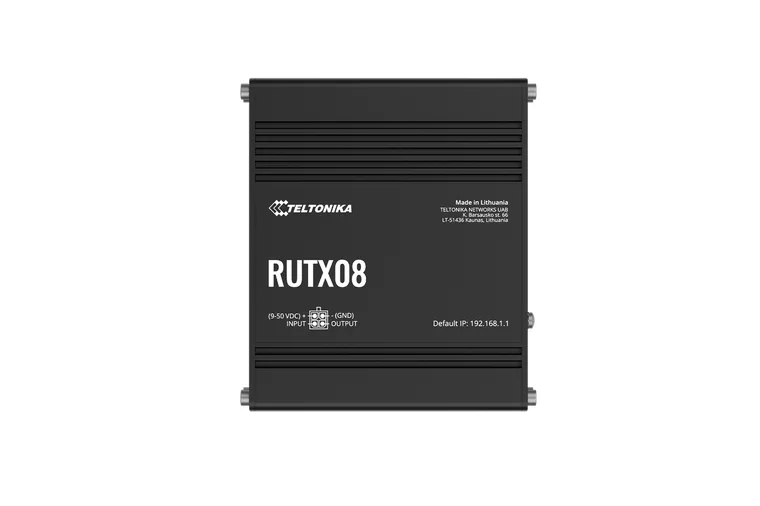
Teltonika RUTX08 industrial router

Image is representative. Ports and finish vary by configuration.

Quote on request
Cellular and Industrial Routers

Teltonika RUTX08 Industrial Gigabit Ethernet Router - No Wi-Fi

Order code RUTX08000200

Industrial Ethernet router with 4 Gigabit Ethernet ports for high-speed wired connectivity. No Wi-Fi. DIN-rail mountable and rated -40°C to 75°C. Includes power supply.

Manufacturer: Teltonika

Processor
Arm Cortex-A7
LAN
3x GbE
Operating temp
-40 to 75 °C
Power input
9-50 VDC

Quoted per order

Price and lead time depend on configuration and quantity. Add this part to your quote list and we reply with both.

Ask an engineer about this part

Overview

The Teltonika RUTX08 is an industrial router. This page covers order code RUTX08000200. LAN is 3x GbE. Operating temperature is -40 to 75 °C, and power input is 9-50 VDC. It supports DIN-rail mounting.

RUTX08 specifications

At a glance
ProcessorArm Cortex-A7
LAN3x GbE
Operating temperature-40 to 75 °C
Power input9-50 VDC
MountingDIN-rail
Ethernet
WAN1 x WAN port 10/100/1000 Mbps, compliance with IEEE 802.3, IEEE 802.3u, 802.3az standards, supports auto MDI/MDIX crossover
LAN3 x LAN ports, 10/100/1000 Mbps, compliance with IEEE 802.3, IEEE 802.3u, 802.3az standards, supports auto MDI/MDIX crossover
Network
RoutingStatic routing, Dynamic routing (BGP, OSPF v2, RIP v1/v2, EIGRP, NHRP), Policy based routing
Network protocolsTCP, UDP, IPv4, IPv6, ICMP, NTP, DNS, HTTP, HTTPS, SFTP, FTP, SMTP(S), SSL/TLS, ARP, VRRP, PPP, PPPoE, UPNP, SSH, DHCP, Telnet, SMPP, SNMP, MQTT, Wake On Lan (WOL), VXLAN
VoIP passthrough supportH.323 and SIP-alg protocol NAT helpers, allowing proper routing of VoIP packets
Connection monitoringPing Reboot, Wget Reboot, Periodic Reboot, LCP and ICMP for link inspection
FirewallPort forward, traffic rules, custom rules, TTL target customisation
Firewall status pageView all your Firewall statistics, rules, and rule counters
Ports managementView device ports, enable and disable each of them, turn auto-configuration on or off, change their transmission speed, and so on
Network topologyVisual representation of your network, showing which devices are connected to which other devices
HotspotCaptive portal (hotspot), internal/external Radius server, Radius MAC authentication, SMS authorisation, SSO authentication, internal/external landing page, walled garden, user scripts, URL parameters, user groups, individual user or group limitations, user management, 9 default customisable themes and optionality to upload and download customised hotspot themes
DHCPStatic and dynamic IP allocation, DHCP relay, DHCP server configuration, status, static leases: MAC with wildcards
QoS / Smart Queue Management (SQM)Traffic priority queuing by source/destination, service, protocol or port, WMM, 802.11e
DDNSSupported >25 service providers, others can be configured manually
DNS over HTTPSDNS over HTTPS proxy enables secure DNS resolution by routing DNS queries over HTTPS
Network backupVRRP, Wired options, each of which can be used as an automatic Failover
Load balancingBalance Internet traffic over multiple WAN connections
SSHFSPossibility to mount remote file system via SSH protocol
VRF supportInitial virtual routing and forwarding (VRF) support
Traffic ManagementReal-time monitoring, wireless signal charts, traffic usage history
IGMP ProxyPossibility to relay multicast membership messages between hosts and a router, enabling multicast traffic to flow across different network segments
Security
802.1xPort-based network access control client
AuthenticationPre-shared key, digital certificates, X.509 certificates, TACACS+, Internal & External RADIUS users authentication, IP & login attempts block, time-based login blocking, built-in random password generator
FirewallPreconfigured firewall rules can be enabled via WebUI, unlimited firewall configuration via CLI, DMZ, NAT, NAT-T, NAT64
Attack preventionDDOS prevention (SYN flood protection, SSH attack prevention, HTTP/HTTPS attack prevention), port scan prevention (SYN-FIN, SYN-RST, X-mas, NULL flags, FIN scan attacks)
VLANPort and tag-based VLAN separation
WEB filterBlacklist for blocking out unwanted websites, Whitelist for specifying allowed sites only
Access controlFlexible access control of SSH, Web interface, CLI and Telnet
TPM*Identification and authentication module, TPM 2.0 standard *Feature availability varies by order code
SSL certificate generationLet's Encrypt and SCEP certificate generation methods
VPN
OpenVPNMultiple clients and a server can run simultaneously, 27 encryption methods
OpenVPN EncryptionDES-CBC 64, RC2-CBC 128, DES-EDE-CBC 128, DES-EDE3-CBC 192, DESX-CBC 192, BF-CBC 128, RC2-40-CBC 40, CAST5-CBC 128, RC2-64-CBC 64, AES-128-CBC 128, AES-128-CFB 128, AES-128-CFB1 128, AES-128-CFB8 128, AES-128-OFB 128, AES- 128-GCM 128, AES-192-CFB 192, AES-192-CFB1 192, AES-192-CFB8 192, AES-192- OFB 192, AES-192-CBC 192, AES-192-GCM 192, AES-256-GCM 256, AES-256-CFB 256, AES-256-CFB1 256, AES-256-CFB8 256, AES-256-OFB 256, AES-256-CBC 256
IPsecXFRM, IKEv1, IKEv2, with 14 encryption methods for IPsec (3DES, DES, AES128, AES192, AES256, AES128GCM8, AES192GCM8, AES256GCM8, AES128GCM12, AES192GCM12, AES256GCM12, AES128GCM16, AES192GCM16, AES256GCM16)
GREGRE tunnel, GRE tunnel over IPsec support
PPTP, L2TPClient/Server instances can run simultaneously, L2TPv3, L2TP over IPsec support
StunnelProxy designed to add TLS encryption functionality to existing clients and servers without any changes in the program’s code
DMVPNMethod of building scalable IPsec VPNs, Phase 2 and Phase 3 and Dual Hub support
SSTPSSTP client instance support
ZeroTierZeroTier VPN client support
WireGuardWireGuard VPN client and server support
TincTinc offers encryption, authentication and compression in it's tunnels. Client and server support.
TailscaleTailscale offers speed, stability, and simplicity over traditional VPNs. Encrypted point- to-point connections using the open source WireGuard protocol
OPC UA
Supported modesClient, Server
Supported connection typesTCP
MODBUS
Supported modesServer, Client
Supported connection typesTCP, USB
Custom registersMODBUS TCP custom register block requests, which read/write to a file inside the router, and can be used to extend MODBUS TCP Client functionality
Supported data formats8-bit: INT, UINT; 16-bit: INT, UINT (MSB or LSB first); 32-bit: float, INT, UINT (ABCD (big-endian), DCBA (little-endian), CDAB, BADC), HEX, ASCII
DATA TO SERVER
ProtocolHTTP(S), MQTT, Azure MQTT
Data to serverExtract parameters from multiple sources and different protocols, and send them all to a single server; Custom LUA scripting, allowing scripts to utilize the router's Data to server feature
MQTT Gateway
Modbus MQTT GatewayAllows sending commands and receiving data from MODBUS Server through MQTT broker
DNP3
Supported modesStation, Outstation
Supported connectionTCP, USB
DLMS/COSEM
DLMS SupportDLMS - standard protocol for utility meter data exchange
Supported modesClient
Supported connection typesTCP, USB
API
Teltonika Networks Web API (beta) supportExpand your device's possibilities by using a set of configurable API endpoints to retrieve or change data. For more information, please refer to this documentation: https://developers.teltonika-networks.com
Monitoring & Management
WEB UIHTTP/HTTPS, status, configuration, FW update, CLI, troubleshoot, multiple event log servers, firmware update availability notifications, event log, system log, kernel log, Internet status
FOTAFirmware update from server, automatic notification
SSHSSH (v1, v2)
TR-069OpenACS, EasyCwmp, ACSLite, tGem, LibreACS, GenieACS, FreeACS, LibCWMP, Friendly tech, AVSystem
MQTTMQTT Broker, MQTT publisher
SNMPSNMP (v1, v2, v3), SNMP Trap, Brute force protection
JSON-RPCManagement API over HTTP/HTTPS
RMSTeltonika Remote Management System (RMS)
IoT Platforms
ThingWorxAllows monitoring of: WAN Type, WAN IP
Cumulocity - Cloud of ThingsAllows monitoring of: Device Model, Revision and Serial Number, WAN Type and IP. Has reboot and firmware upgrade actions
Azure IoT HubCan be configured with Data to Server to send all the available parameters to the cloud. Has Direct method support which allows to execute RutOS API calls on the IoT Hub. Also has Plug and Play integration with Device Provisioning Service that allows zero-touch device provisioning to IoT Hubs
System Characteristics
CPUQuad-core ARM Cortex A7, 717 MHz
RAM256 MB, DDR3
FLASH storage256 MB, SPI Flash
Firmware / Configuration
WEB UIUpdate FW from file, check FW on server, configuration profiles, configuration backup
FOTAUpdate FW
RMSUpdate FW/configuration for multiple devices at once
Keep settingsUpdate FW without losing current configuration
Factory settings resetA full factory reset restores all system settings, including the IP address, PIN, and user data to the default manufacturer's configuration
FIRMWARE CUSTOMISATION
Operating systemRutOS (OpenWrt based Linux OS)
Supported languagesBusybox shell, Lua, C, C++
Development toolsSDK package with build environment provided
GPL customizationYou can create your own custom, branded firmware and web page application by changing colours, logos, and other elements in our firmware to fit your or your clients’ needs
Package ManagerThe Package Manager is a service used to install additional software on the device
USB
Data rateUSB 2.0
ApplicationsSamba share, USB-to-serial
External devicesPossibility to connect external HDD, flash drive, additional modem, printer, USB-serial adapter
Storage formatsFAT, FAT32, exFAT, NTFS (read-only), ext2, ext3, ext4
Input / Output
Input1 x Digital Input, 0 - 6 V detected as logic low, 8 - 30 V detected as logic high
Output1 x Digital Output, Open collector output, max output 30 V, 300 mA
EventsEmail, RMS
I/O jugglerAllows to set certain I/O conditions to initiate event
Power
Connector4-pin industrial DC power socket
Input voltage range9 - 50 VDC, reverse polarity protection, voltage surge/transient protection
PoE (passive)Possibility to power up through LAN1 port, not compatible with IEEE802.3af, 802.3at and 802.3bt standards, Mode B, 9 - 50 VDC
Power consumption6 W Max
Physical Interfaces
Ethernet4 x RJ45 ports, 10/100/1000 Mbps
I/O’s1 x Digital Input, 1 x Digital Output on 4-pin power connector
Status LEDs8 x LAN status LEDs, 1 x Power LED
Power1 x 4-pin power connector
USB1 x USB A port for external devices
ResetReboot/User default reset/Factory reset button
Other1 x Grounding screw
Physical Specification
Casing materialAluminium housing
Dimensions (W x H x D)115 x 32.2 x 95.2 mm
Weight345 g
Mounting optionsDIN rail, wall mount, flat surface (all require additional kit)
Operating Environment
Operating temperature-40 °C to 75 °C
Operating humidity10% to 90% non-condensing
Ingress Protection RatingIP30
Regulatory & Type Approvals
RegulatoryCE, UKCA, FCC, EAC, UCRF, CITC, ANRT, NOM, UL/CSA Safety, CB, IC (ISED), RCM,
EMC Emissions & Immunity
StandardsCE/UKCA: EN 55032:2015 + A11:2020 + A1:2020 EN 55035:2017 + A11:2020 EN IEC 61000-3-2:2019 + A1:2021 + A2:2024 EN 61000-3-3:2013 + A1:2019 + A2:2021 FCC/ISED(IC): 47 CFR Part 15 Subpart B ICES-003: Issue 7 (October 2020) RCM: AS/NZS CISPR 32:2015 + A1
ESDEN 61000-4-2:2009
Radiated ImmunityEN IEC 61000-4-3:2006 + A1:2008 + A2:2010 EN IEC 61000-4-3:2020
EFTEN 61000-4-4:2012
Surge Immunity (AC Mains Power Port)EN 61000-4-5: 2014 + A1:2017
Surge immunity (AC Power Line)EN 61000-4-5:2014
CSEN 61000-4-6:2014
DIPEN 61000-4-11:2004 EN 61000-4-11:2020
Safety
StandardsCE: EN IEC 62368-1:2020 + A11:2020 CB: IEC 62368-1:2018 RCM: AS/NZS 62368.1:2022
STANDARD PACKAGE*
RUTX0818W PSU ETHERNET CABLE (1.5M)
Router RUTX08 18 W PSU Ethernet cable (1.5 m) QSG (Quick Start Guide) Packaging box
*Standard package contents may differbased on standard order codes.
For more information on all available packagingoptions – please contact us directly.
AVAILABLE VERSIONS
RUTX08 ******N/A RUTX08000000 / Standard package with EU PSU RUTX08000200 / Standard package with US PSU RUTX08000300 / Standard package with UK PSU RUTX08000400 / Standard package with AU PSU RUTX08000900 / Standard package with Power cable with 4-way screw terminal RUTX08000A00 / Mass packing code
RUTX08 SPATIAL MEASUREMENTS
TOP VIEW The figure below depicts the measurementsof device and its components as seen from the top:
RIGHT VIEW The figure below depicts the measurementsof device and its components as seen from the right:
REAR VIEW The figure below depicts the measurementsof device and its components as seen from the back panel side:
FRONT VIEW The figure below depicts the measurementsof device and its components as seen from the front panel side:
DIN RAIL The scheme below depicts protrusionmeasurements of an attached DIN Rail:

Documentation and resources

Related products

Teltonika TRB247

Cellular and Industrial Routers

TRB247

Order code TRB247010000

Compact industrial IoT gateway with LTE Cat 1 bis connectivity and RS232/RS485 serial interfaces for Modbus, SCADA, and legacy device integration. DIN-rail mountable and…

Teltonika
Processor
MediaTek
LAN
1x Ethernet
Operating temp
-40 to 75 °C
Power input
9-30 VDC
Teltonika RUT140

Cellular and Industrial Routers

RUT140

Order code RUT140000000

Industrial Ethernet router with Wi-Fi 4 and 5 Fast Ethernet ports for secure wired and wireless connectivity. DIN-rail mountable and rated for harsh environments.…

Teltonika
Processor
MediaTek
LAN
1x Ethernet
Operating temp
-40 to 75 °C
Power input
9-30 VDC
Teltonika RUT142

Cellular and Industrial Routers

RUT142

Order code RUT142000000

Industrial Ethernet router with Wi-Fi 4, 5 Fast Ethernet ports, and RS232 serial for legacy device and Modbus integration. DIN-rail mountable and rated for harsh…

Teltonika
Processor
MediaTek
LAN
1x Ethernet
Operating temp
-40 to 75 °C
Power input
9-30 VDC
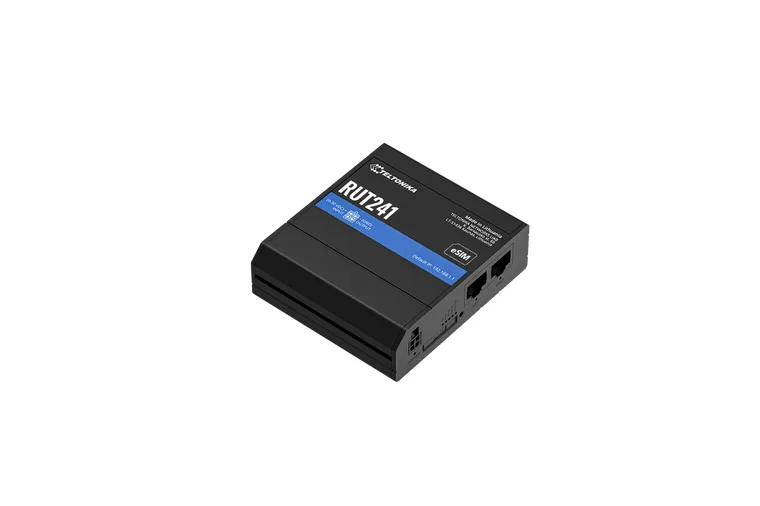
Teltonika RUT241

Cellular and Industrial Routers

RUT241

Order code RUT241233000

RUT241 packs reliable 4G connectivity, built-in eSIM agility, and industrial-grade ruggedness into a palm-sized router—perfect for keeping remote IoT and M2M assets…

Teltonika
Processor
MediaTek
LAN
1x Ethernet
Operating temp
-40 to 75 °C
Power input
9-30 VDC