

Key Takeaways
- An industrial edge AI computer is a ruggedized, fanless or shock-tolerant system that runs AI inference on-site, at the machine, vehicle, or substation, instead of sending data to the cloud.
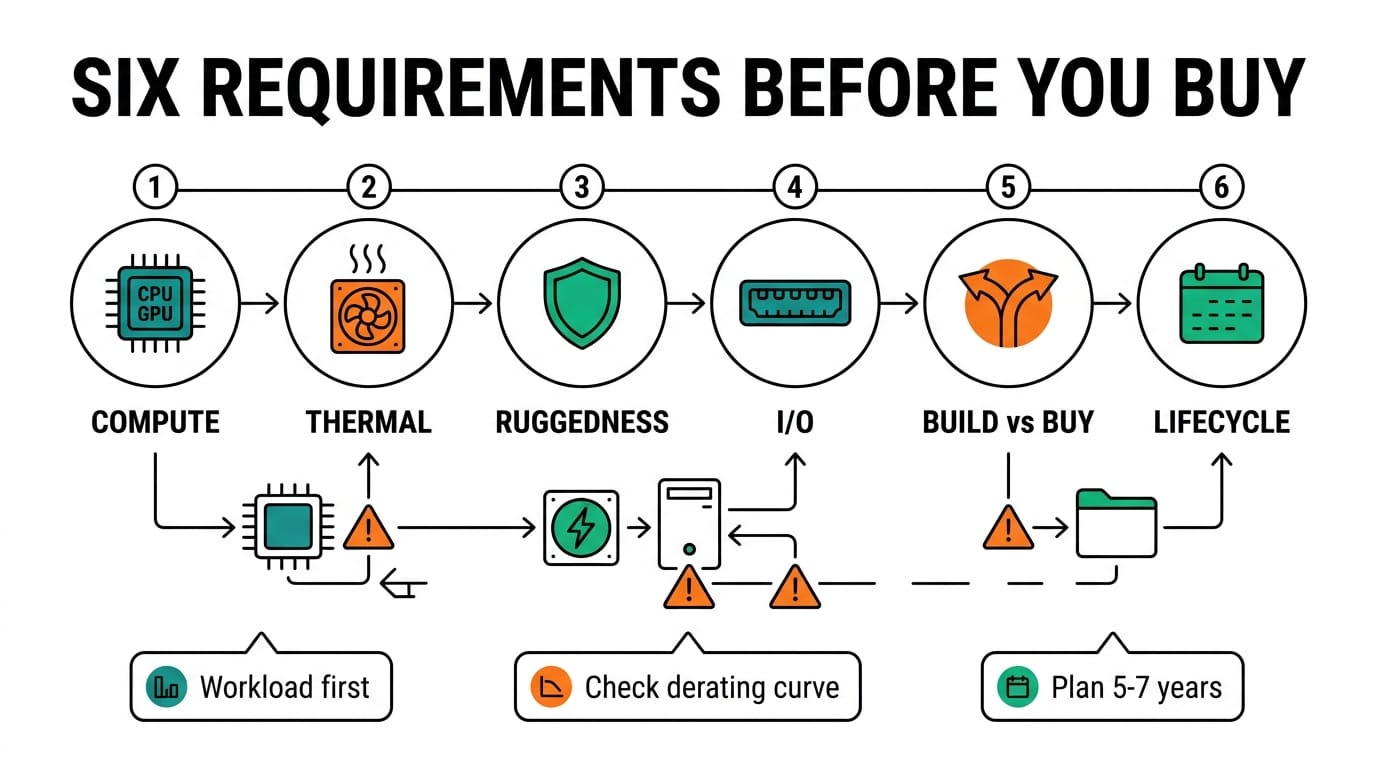
- The selection decision comes down to six factors, in priority order: AI workload (compute), thermal design, ruggedness and certifications, I/O and expansion, build vs. buy, and sourcing and lifecycle.
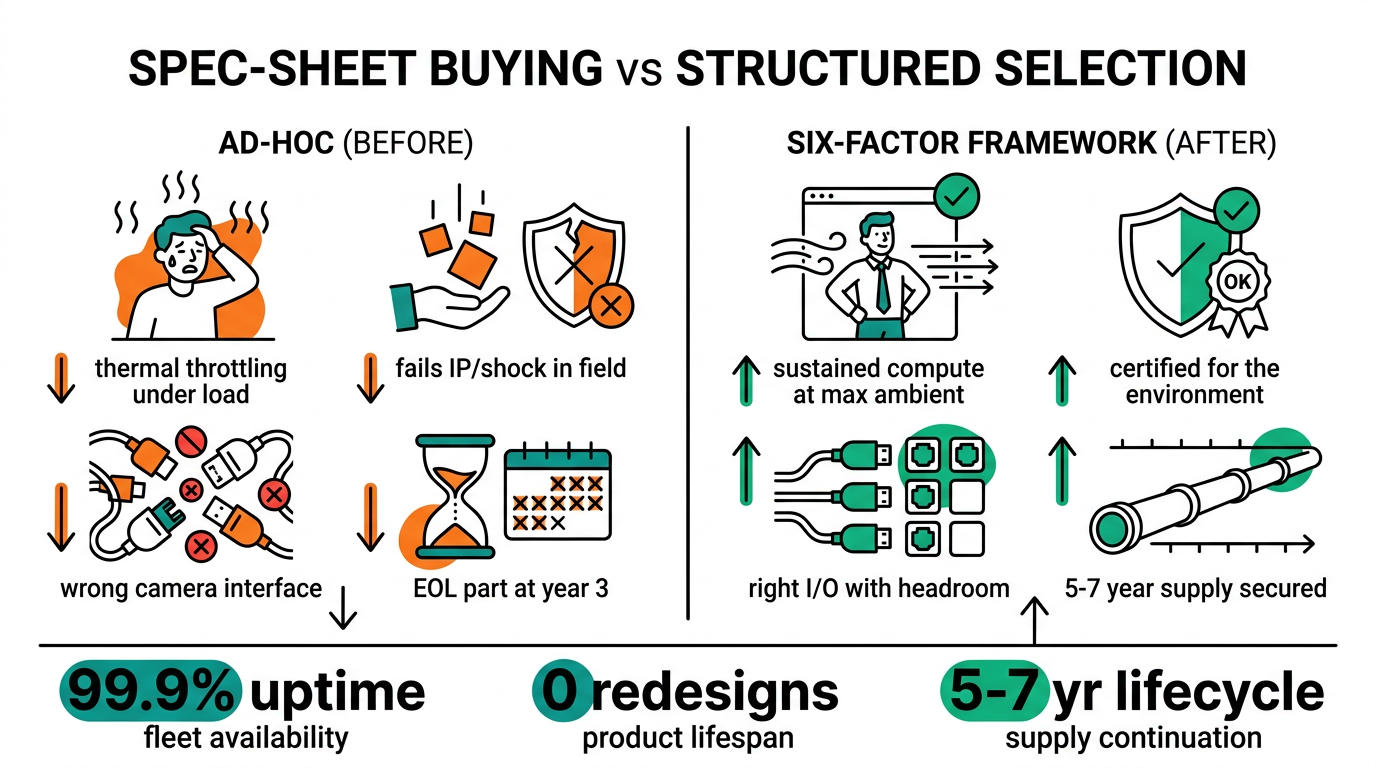
- The most common and most expensive mistake is over-buying compute while under-speccing the environment. A GPU that throttles at 55°C is slower than a smaller GPU that holds its clocks.
- Compute should be matched to the workload, not the other way around. Most industrial vision workloads run on a 65–130W embedded GPU, not a 300W datacenter card.
- Ruggedness is not one number. It is a stack of independent ratings (temperature, vibration, ingress, and certification), and only the ones the environment demands are worth paying for.
What is an industrial edge AI computer?
An industrial edge AI computer is a hardened computing system that runs AI inference locally, next to the camera, sensor, or PLC, so decisions happen in milliseconds without a round trip to the cloud. Unlike a commercial PC or a datacenter server, it is built to survive the conditions where industrial work actually happens: −25°C to 70°C operating ranges, continuous vibration, dust, electrical noise, and 24/7 duty cycles measured in years rather than months.
Related reading: x86 vs Arm for Industrial Edge AI compares the two compute architectures head to head.
The category spans three broad tiers. Compact fanless controllers fit vehicles and tight cabinets. Mid-range GPU systems handle machine-vision inspection. High-end multi-GPU platforms drive autonomous machines and multi-camera analytics. Choosing well means matching the system to the workload and the environment at the same time. Get either one wrong and the deployment goes back to the drawing board.
How do you choose an industrial edge AI computer?
You choose an industrial edge AI computer by working through six requirements in priority order: compute, thermal, ruggedness, I/O, build-vs-buy, and sourcing. The rule is not to optimize a later factor at the expense of an earlier one. Specify the AI workload first. Then confirm the chassis can keep that compute running in the target environment. Everything else follows from those two anchors.
A condensed, printable version of this framework lives in the 10-Point Checklist for Choosing a Rugged Edge AI Computer. The sections below expand each factor and link to the focused deep-dive for engineers who want the full analysis.
Step 1 — Match compute to your AI workload (CPU vs. GPU)
Start with the model, not the spec sheet. The right compute class is the smallest one that runs the model at the required frame rate and latency with headroom to spare. Sizing up "to be safe" usually adds heat, cost, and power draw without improving real-world throughput.
Characterize the workload before shortlisting any hardware. Three numbers define it: input resolution, required frame rate per stream, and the number of concurrent streams. Multiply those by model complexity and a target latency budget, and the result points to a compute class rather than a single product. A single 1080p stream running a lightweight detector is a different machine from eight 4K streams running segmentation.
There are three platform families to weigh, and the trade-offs differ for every workload. The Intel vs. AMD vs. Jetson platform guide breaks down where each wins. The x86 families suit flexible, software-heavy pipelines and easy migration from existing PC code. The Arm-based GPU platform suits power-efficient, GPU-native inference in tight thermal and power budgets.
When the workload is GPU-bound, such as multi-camera vision, 3D inspection, or sensor fusion, the next question is which GPU class. The GPU computing comparison: RTX vs. Tesla vs. Jetson Orin explains why an embedded module usually beats a datacenter card at the edge: better performance-per-watt, automotive-grade thermals, and no reliance on facility-class cooling. Performance-per-watt matters more than peak performance in a sealed enclosure, because every watt of compute is a watt the chassis has to dissipate.
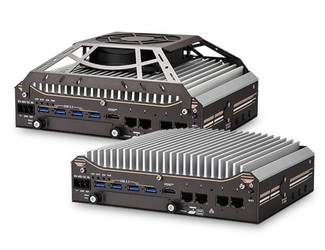
For a concrete head-to-head on a real workload, the Nuvo-9160GC vs. Nuvo-10108GC comparison shows how two GPU systems diverge on a food-processing inspection line, and how to pick based on camera count and inference budget rather than headline GPU specs.
In hardware terms, this is the tier that matters most:
- Entry GPU vision: the Nuvo-9160GC handles single- to few-camera inspection at modest power.
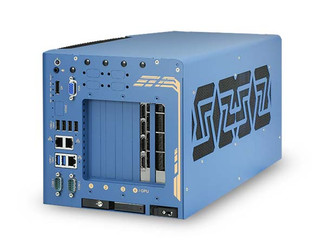
- Mainstream GPU AI: the Nuvo-10108GC and dual-GPU Nuvo-10208GC cover multi-camera and higher-throughput pipelines.
- Compact 3D / robotics vision: the Nuvo-11531 targets robotic-arm and 3D-scan inference in a small footprint.
- Arm GPU inference: the NRU-220 runs an integrated GPU platform for power-efficient autonomous and mobile applications.
For the highest multi-GPU workloads, the Nuvo-11000 series scales further. Both it and the Nuvo-10000 series sit above the systems listed above.
Step 2 — Choose the right thermal design (fanless vs. fan-cooled)
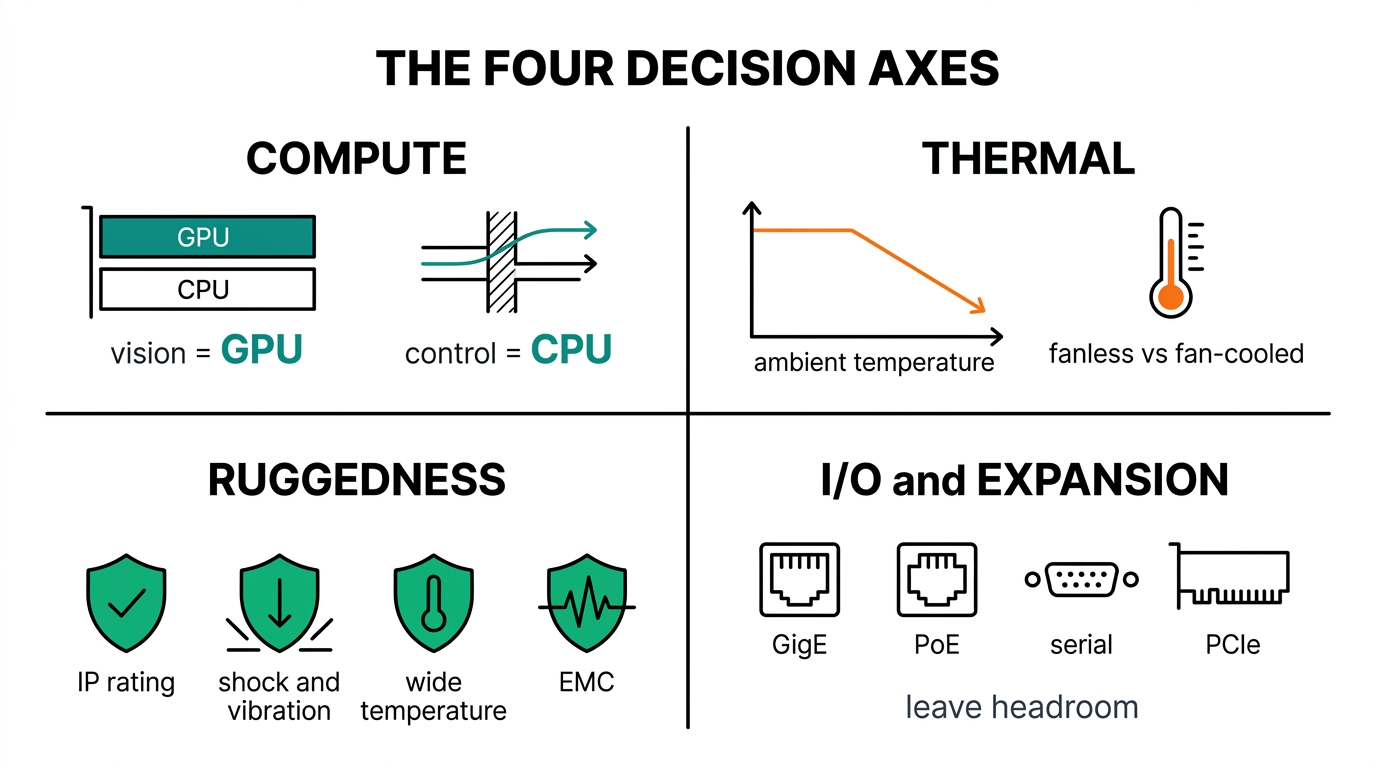
Thermal design decides whether compute is real or theoretical. A processor that throttles under sustained load delivers a fraction of its rated performance. The question is not how fast the chip is, but how fast it stays under the target ambient and duty cycle. This is why two systems with the same GPU can post very different real-world frame rates.
Every industrial system has a thermal derating curve: as ambient temperature rises, the sustainable compute falls. A platform rated for full performance at 25°C may quietly drop clocks at 50°C. The correct way to read a datasheet is to find the performance at the worst-case ambient of the deployment, not at room temperature.
Fanless designs win on reliability and contamination resistance. No moving parts, no filters to clog, and a sealed path against dust and water. Their limit is how much heat they can shed through conduction and convection alone. Fan-cooled designs sustain higher compute but add a maintenance item and an ingress path. The fanless vs. fan-cooled industrial PCs comparison lays out where each belongs and how to size for the worst-case ambient rather than the lab's 25°C.
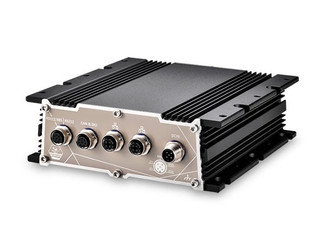
The practical rule is to define the maximum sustained ambient and duty cycle first, then confirm the system holds its rated clocks there. A sealed fanless platform such as the POC-766AWP that never throttles will out-deliver a hotter system that does.
Step 3 — Match ruggedness and certifications to the environment
Ruggedness is a stack of independent ratings, and a deployment only needs the ones its environment demands. Specifying a defense-grade enclosure for a clean factory wastes budget. Under-speccing ingress protection for an outdoor site guarantees field failures. The goal is to map each environmental hazard to the specific rating that addresses it, then require that rating in writing on the datasheet.
Four rating categories cover most industrial edge AI deployments:
- Operating temperature range. Verify the rating at full load, not the wider storage range. The operating range is what governs behavior during a hot afternoon under continuous inference.
- Vibration and shock. Critical for vehicle-mounted, rail, and heavy-machinery deployments. Environmental test methods are defined by MIL-STD-810G (US Department of Defense), which covers vibration, shock, temperature, humidity, and altitude.
- Ingress protection (IP rating). Defined by IEC 60529, the IP code expresses resistance to solids and liquids, for example IP67 (dust-tight, temporary immersion) or IP69K (high-pressure, high-temperature washdown).
- Industry certifications. Railway rolling-stock electronics follow EN 50155 (CENELEC). Hazardous locations follow ATEX (Directive 2014/34/EU) or the North American Class I, Division 2 scheme (NEC Article 500). Substation communications equipment follows IEEE 1613.
Each of these deserves its own analysis, covered in depth across the ruggedness and standards cluster. The selection principle for this guide is simple: list the environmental hazards explicitly, then require the matching standard by name on the datasheet rather than inferring it from the word "industrial."
Step 4 — I/O, expansion, and connectivity
Edge AI computers earn their place by connecting to the physical world, so I/O is a first-class requirement, not an afterthought. Count the real-world interfaces before shortlisting: how many cameras and on which interface, how many serial and digital I/O lines, how much Power-over-Ethernet budget, and what network and wireless links are needed.
Camera interface choice drives much of the bill of materials. GigE Vision and USB3 Vision suit fixed industrial cameras over short to medium runs. GMSL and CoaXPress suit longer cable runs and higher bandwidth. The interface determines cabling, capture hardware, and how many streams the system can sustain at full resolution.
Three questions prevent most I/O mistakes:
- Camera bandwidth. Can the system drive every camera at full resolution and frame rate simultaneously, on the chosen capture interface?
- Expansion headroom. Are there M.2, mini-PCIe, or PCIe slots for storage, capture cards, or a future cellular or 5G module?
- Power and isolation. Is there enough PoE budget for the cameras, the right mix of GbE and 10GbE, and isolated serial lines for noisy OT devices?
Leaving expansion headroom is cheap insurance. The deployment that needs one more camera or a wireless module in year two is the rule, not the exception.
Step 5 — Build vs. buy (custom vs. off-the-shelf)
Most teams should start with an off-the-shelf system and customize only when a specific, documented requirement forces it. Off-the-shelf platforms ship faster, carry existing certifications, and are easier to support and replace. Customization makes sense for unusual form factors, specialized I/O, volume OEM programs, or branding. The custom vs. off-the-shelf industrial PCs guide walks through the decision and the hidden costs of customizing too early: re-certification, longer lead times, and a smaller spares pool.
A useful test: if the exact requirement an off-the-shelf system fails to meet can be named, customization may be justified. If it cannot be named, it usually is not.
Step 6 — Sourcing, supply chain, and lifecycle
The final factor is the one that surfaces three years in: availability. An edge AI deployment is a five-to-ten-year commitment, so long-term part availability, revision control, and responsive technical support matter as much as the spec sheet. A platform that reaches end-of-life mid-program forces an unplanned re-qualification, which often costs more than the original hardware decision.
Taiwan is the center of gravity for industrial computing, and sourcing well from it is its own discipline, balancing cost, quality, lead time, and support. The guide to sourcing rugged PCs from Taiwan covers what to ask about availability commitments, revision policies, and field-application support before standardizing on a platform.
Selection matrix: matching the system to the job
Use this as a starting shortlist, then validate against the six factors above for the specific deployment.
| If the priority is… | Compute class | Typical cooling | Look at |
|---|---|---|---|
| Power-efficient Arm inference | Integrated GPU | Fanless | NRU-220 |
| Single / few-camera vision | Entry GPU | Fanless | Nuvo-9160GC |
| Multi-camera / higher throughput | Mainstream / dual GPU | Fanless or fan-assisted | Nuvo-10108GC / Nuvo-10208GC |
| 3D scan / robotic-arm vision | Compact GPU | Fanless | Nuvo-11531 |
| Sealed outdoor / washdown | Entry–mid | Fanless, high IP rating | POC-766AWP |
| Highest multi-GPU workloads | Multi-GPU | Fan-cooled | Nuvo-11000 series |
Standards referenced in this guide
- IEC 60529 — Degrees of protection provided by enclosures (IP code). International Electrotechnical Commission.
- MIL-STD-810G — Environmental engineering considerations and laboratory tests. US Department of Defense.
- EN 50155 — Electronic equipment used on railway rolling stock. CENELEC.
- ATEX (Directive 2014/34/EU) — Equipment for use in potentially explosive atmospheres. European Union.
- Class I, Division 2 — Hazardous (classified) locations. US National Electrical Code, Article 500.
- IEEE 1613 — Environmental and testing requirements for communications networking devices in electric power substations.
Choosing the right platform is half engineering and half supply-chain judgment. Follow Neteon on LinkedIn for more deep dives, or reach us at [email protected] or www.neteon.net to talk through an edge AI platform selection for a specific deployment.
Related Products

FAQs
What is the difference between an industrial edge AI computer and a regular PC?
An industrial edge AI computer is built to run AI inference on-site in harsh conditions — wide temperature range, vibration, dust, and 24/7 duty cycles for years — with GPU acceleration and industrial I/O. A regular PC offers none of these protections and is not rated for continuous industrial operation.
Do I need a GPU for edge AI?
A GPU is needed when the workload is GPU-bound, such as multi-camera vision, 3D inspection, deep neural networks, or sensor fusion. Lighter workloads like basic analytics or classical machine vision can run on a CPU-only or integrated-graphics platform, which lowers cost, power, and heat.
How much GPU performance is actually needed at the edge?
Match the GPU to the model and frame-rate target, not to headline specs. Most industrial vision workloads run on a 65–130W embedded GPU. A 300W datacenter card usually adds heat and cost without improving real-world throughput, and is harder to cool in a sealed enclosure.
Fanless or fan-cooled — which is better for industrial edge AI?
Fanless is better for reliability and contamination resistance, with no moving parts and sealing against dust and water, but it caps sustained compute. Fan-cooled sustains higher performance but adds a maintenance item and an ingress path. The deciding factors are the maximum sustained ambient temperature and the duty cycle.
What certifications should an industrial edge AI computer have?
Only the ones the environment requires: EN 50155 for railway, ATEX or Class I Division 2 for hazardous locations, MIL-STD-810G for environmental ruggedness, IEEE 1613 for substations, and an IEC 60529 IP rating appropriate to dust and water exposure. Map each environmental hazard to its specific standard rather than assuming 'industrial' covers it.
Sources and further reading
Neousys rugged computer product catalog.
NIST AI Risk Management Framework.
Related Neteon guides
Industrial Ruggedness and Compliance Standards.
Intel vs AMD vs Jetson for Industrial Edge AI.
Browse the edge ai topic hub for more deployment guidance.
Recommended next: Neteon Launches Neousys Ecommerce Portal.