
TLDR
Almost every industrial edge AI box runs one of two architectures: x86, represented here by the Nuvo-11000, and Arm paired with an integrated GPU, represented by the Jetson-based NRU-220. x86 wins on software compatibility, memory ceiling, and PCIe expansion. Arm-plus-GPU wins on inference-per-watt and a tightly integrated accelerator. The head-to-head is below, then a table for which one fits which workload.
Overview
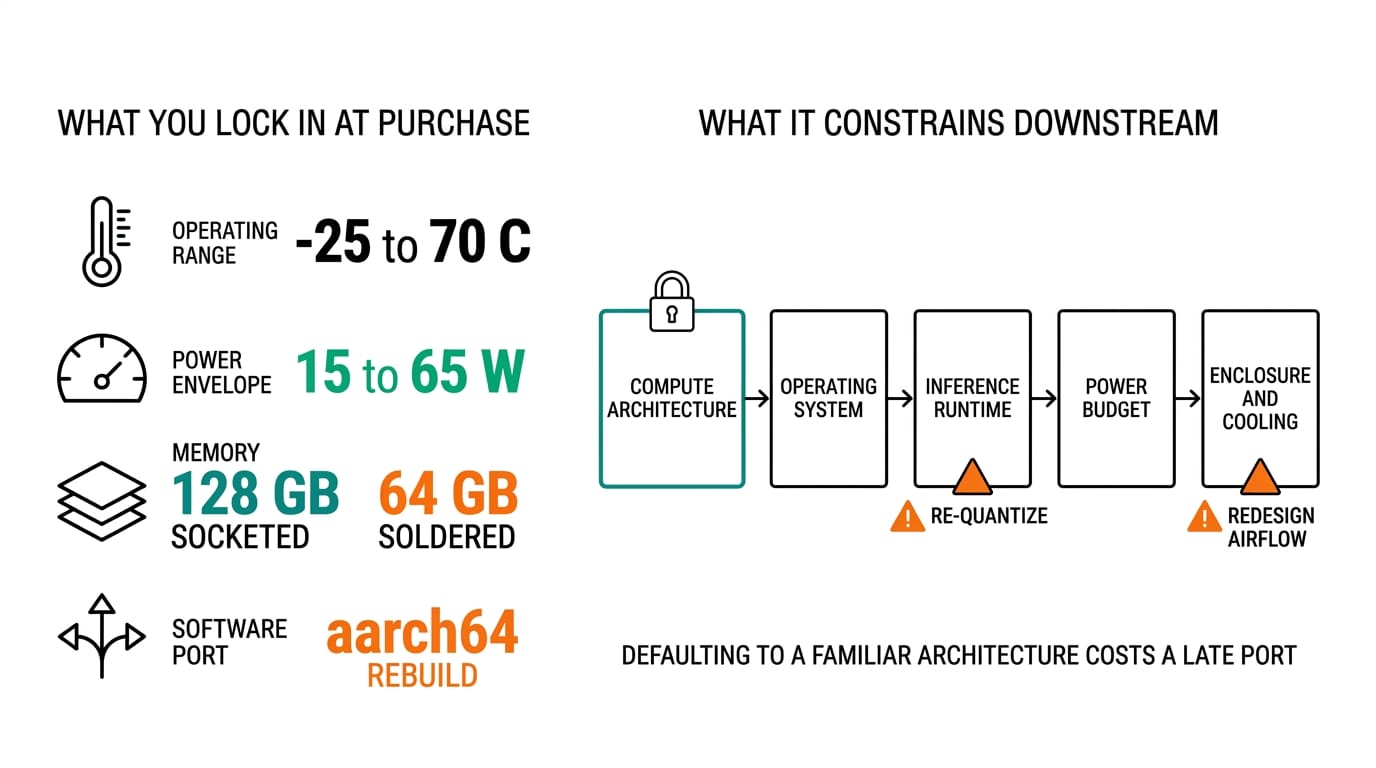
Picking a compute architecture is the decision that constrains every other choice in an edge deployment: which operating system you run, how you accelerate inference, how much power you budget, and how hard the software port will be. It is also the one people get wrong most often, usually by defaulting to whatever their laptop runs.
The two mainstream options are x86 and Arm. On the x86 side, the Nuvo-11000 runs Intel Core Ultra 200S silicon with up to 24 cores and 128 GB of DDR5. On the Arm side, the NRU-220 is built on the NVIDIA Jetson AGX Orin, which bolts eight to twelve Arm Cortex-A78AE cores to a 2,048-core Ampere GPU on one module. We covered the silicon families in Intel vs AMD vs Jetson for edge AI platform selection; this post is the architecture-level version of that question. If you are still scoping the whole system, start with our guide to choosing an industrial edge AI computer.
Head-to-head comparison
| Dimension | x86 — Nuvo-11000 | Arm + GPU — NRU-220 |
|---|---|---|
| Compute | Intel Core Ultra 200S, up to 24 cores | Jetson AGX Orin, 8-12 Cortex-A78AE cores + Ampere GPU |
| AI acceleration | CPU, plus optional PCIe GPU cassette to 145 W | Integrated GPU, up to 275 TOPS INT8 (64 GB module) |
| Memory | Up to 128 GB DDR5-6400, socketed | 32 or 64 GB LPDDR5, soldered |
| Typical power | 35-65 W, more with a GPU | 15-60 W |
| Software | Windows or Ubuntu, standard x86 binaries | JetPack/L4T, CUDA, Arm binaries |
| Expansion | M.2 Gen5, PCIe slots, GPU cassette | M.2 Gen4, B-key 5G, no PCIe slots |
| Rugged | MIL-STD-810H, TPM 2.0, vPro | EN 50121-3; 220S adds MIL-STD-810H |
The split is real. x86 gives you a socketed memory ceiling and slots you can grow into. The Jetson gives you more inference throughput per watt than any CPU can, but the memory is soldered and there is no PCIe slot to add a card later. What you buy is what you deploy.
Use case mapping
| Workload | Pick | Reason |
|---|---|---|
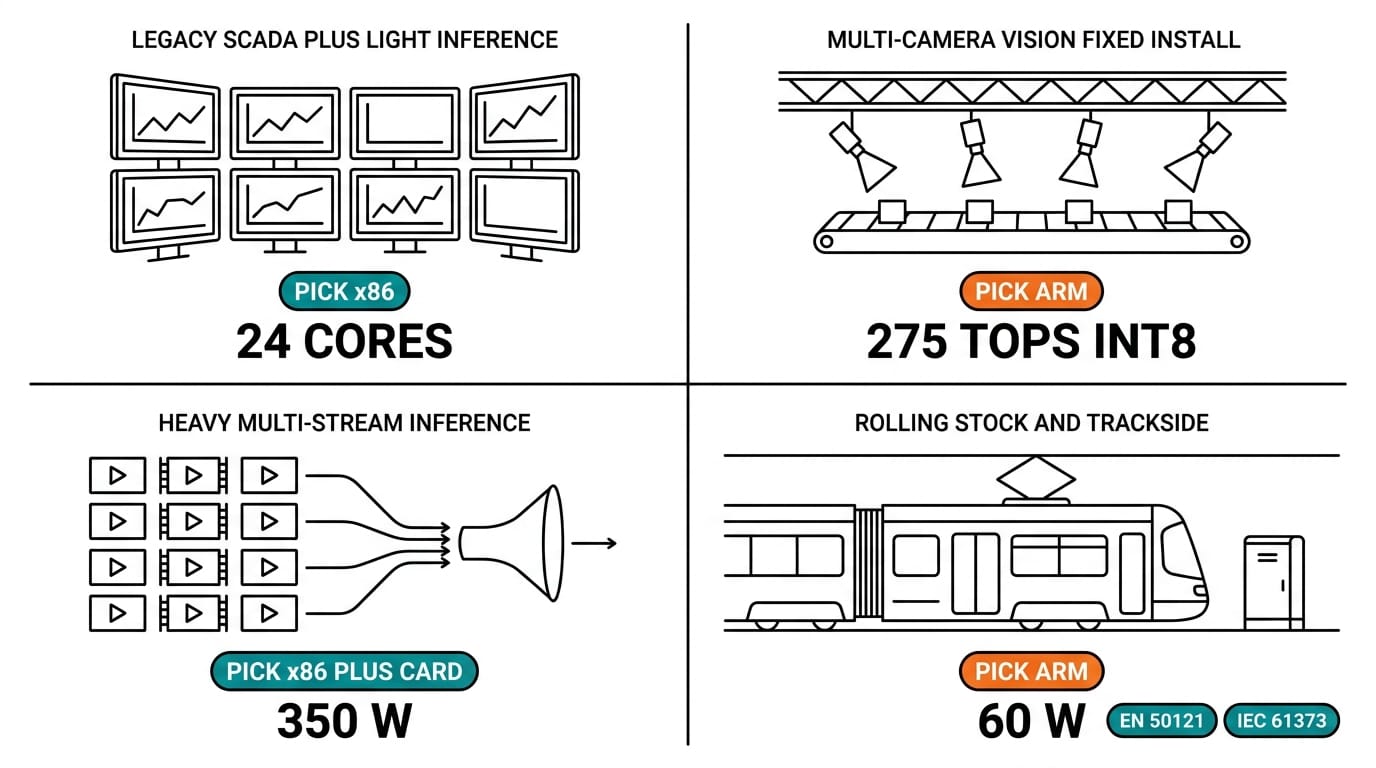
| Legacy Windows SCADA plus light inference | Nuvo-11000 | Runs existing x86 apps unmodified |
| Multi-camera vision, low power, fixed install | NRU-220 | Best TOPS per watt, no port needed for CUDA models |
| Heavy multi-stream inference on a discrete GPU | Nuvo-10108GC | x86 host with an RTX card up to 350 W |
| Rolling stock or trackside with EN 50121 | NRU-220 | Rail EMC out of the box; 222S adds IEC 61373 |
| Mixed OT protocols with GPU headroom for later | Nuvo-11000 | Slots and socketed RAM leave room to scale |
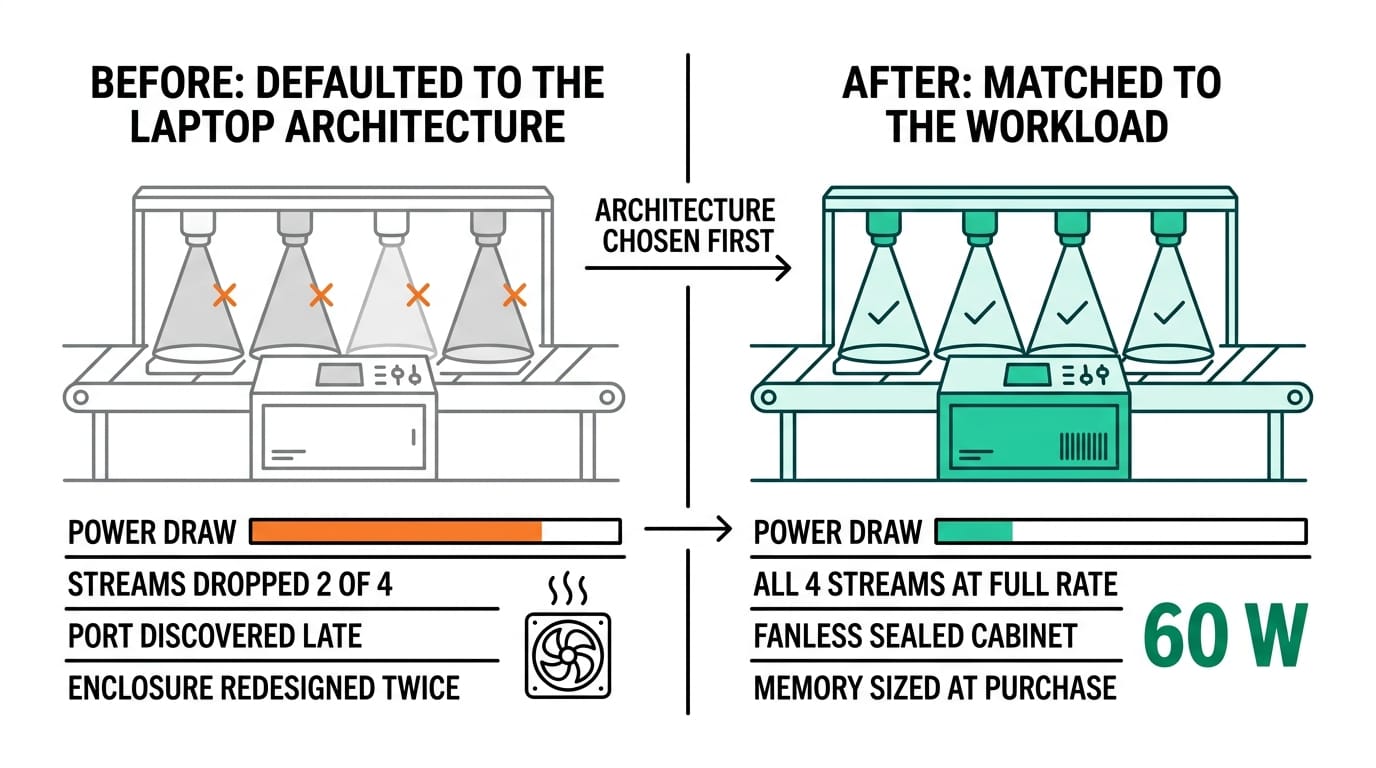
A useful tie-breaker: if the model is already written in CUDA and the camera count is fixed, the NRU-220 is hard to beat on power. If you need discrete-GPU horsepower but still want a Windows host, the Nuvo-10108GC carries an RTX-class card. We break down accelerator options in GPU computing for edge inference.
Migration considerations
Moving from x86 to Arm is not a recompile-and-go exercise, so budget for it. Native binaries have to be rebuilt for aarch64, and any closed-source vendor tool that ships x86-only becomes a blocker you find late. Inference models retarget from OpenVINO or ONNX Runtime to TensorRT, which usually means re-quantizing and re-validating accuracy rather than a straight export. Container images need multi-arch builds. And the soldered LPDDR5 on the Jetson means you size memory at purchase, not later.
Going the other way, x86 to x86 with a GPU, is mostly a thermal and power question. A 145 W cassette or a 350 W discrete card changes your enclosure airflow and your DC input budget. Size the power supply for the card, not the CPU.
Conclusion
There is no architecture that wins everything. Choose x86 when software compatibility, memory headroom, and expansion matter more than watts. Choose Arm-plus-GPU when a fixed, camera-heavy vision workload has to run cool and quiet. And when a project needs discrete-GPU throughput on a familiar OS, the x86-plus-card path splits the difference.
Follow Neteon on LinkedIn for more of these breakdowns, or reach us at [email protected] or www.neteon.net to spec an x86 or Arm edge platform against your workload.
Related Products


FAQs
Is x86 or Arm better for industrial edge AI?
Neither wins outright. x86, like the Nuvo-11000, leads on software compatibility, socketed memory to 128 GB, and PCIe expansion. Arm with an integrated GPU, like the Jetson-based NRU-220, leads on inference per watt. Match the architecture to the workload.
How much AI performance does the NRU-220 deliver?
The NRU-220 is built on the NVIDIA Jetson AGX Orin, up to 275 TOPS INT8 on the 64 GB module, with an integrated 2,048-core Ampere GPU, typically at 15 to 60 W.
What does it take to move software from x86 to Arm?
Rebuild native binaries for aarch64, retarget inference models to TensorRT (usually re-quantizing and re-validating accuracy), and produce multi-arch container images. Closed-source x86-only tools can block the port, so check them early.
When should I choose an x86 computer with a discrete GPU instead?
When you need heavy multi-stream inference on a familiar OS. The Nuvo-10108GC pairs an x86 host with an RTX-class GPU up to 350 W, so you keep Windows or Ubuntu and CUDA together.
Can I add a GPU or more memory to the Nuvo-11000 later?
Yes on the E variants, which take a PCIe GPU cassette up to 145 W, and the socketed DDR5 expands to 128 GB. The Jetson-based NRU-220 has soldered memory and no PCIe slot, so it is sized at purchase.