
TLDR
A fanless edge computer runs cooler on paper than it does bolted inside a sealed roadside cabinet in July. Ambient heat, still air, and a sustained inference load all eat into the margin between the CPU and its junction limit. This guide walks the heat path from die to air, shows where the designer actually has control, and gives you a validation test that catches throttling before the unit ships. Products referenced: Nuvo-11000, POC-766AWP, POC-700.
Overview
Most fanless spec sheets quote an operating range like -25 C to 70 C. That number assumes a specific mounting surface and free-flowing air. Change either and the real ceiling drops. An AI inference workload makes this worse than a normal industrial PC job, because the CPU or GPU rarely idles, so there is no cool-down between bursts.
Thermal design is really the last third of system design. Get the sensors and network right first, which we covered in designing an edge AI system from sensor to edge to cloud, then size the box for the heat it will actually produce. If you are still deciding between a sealed fanless unit and an active-cooled one, our comparison of fanless versus fan-cooled industrial PCs covers the reliability trade. And since heat shortens flash life, pair this with the guidance in our NVMe endurance and field data-logging guide.
System architecture
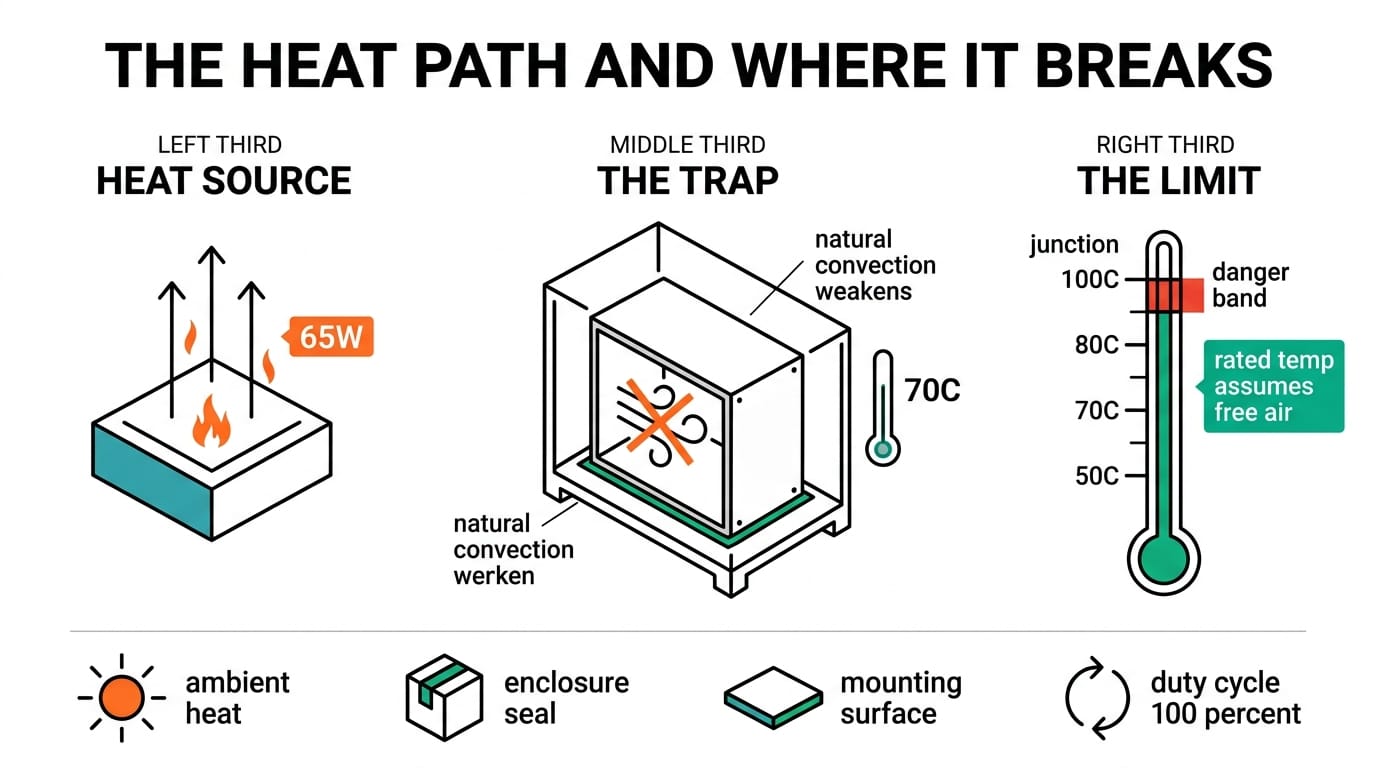
A fanless box has no moving air of its own. Heat leaves the silicon by conduction, travels through the chassis, and finally sheds to the surrounding air by natural convection. Every stage is a place where a design choice helps or hurts.
| Thermal stage | Path | What the designer controls |
|---|---|---|
| Die to spreader | Conduction through the thermal interface | CPU TDP setting: 35W versus 65W |
| Chassis to air | Finned enclosure, natural convection | Fin orientation, clearance around the case |
| Air to ambient | Convection and radiation | Cabinet venting, mounting surface as a heat sink |
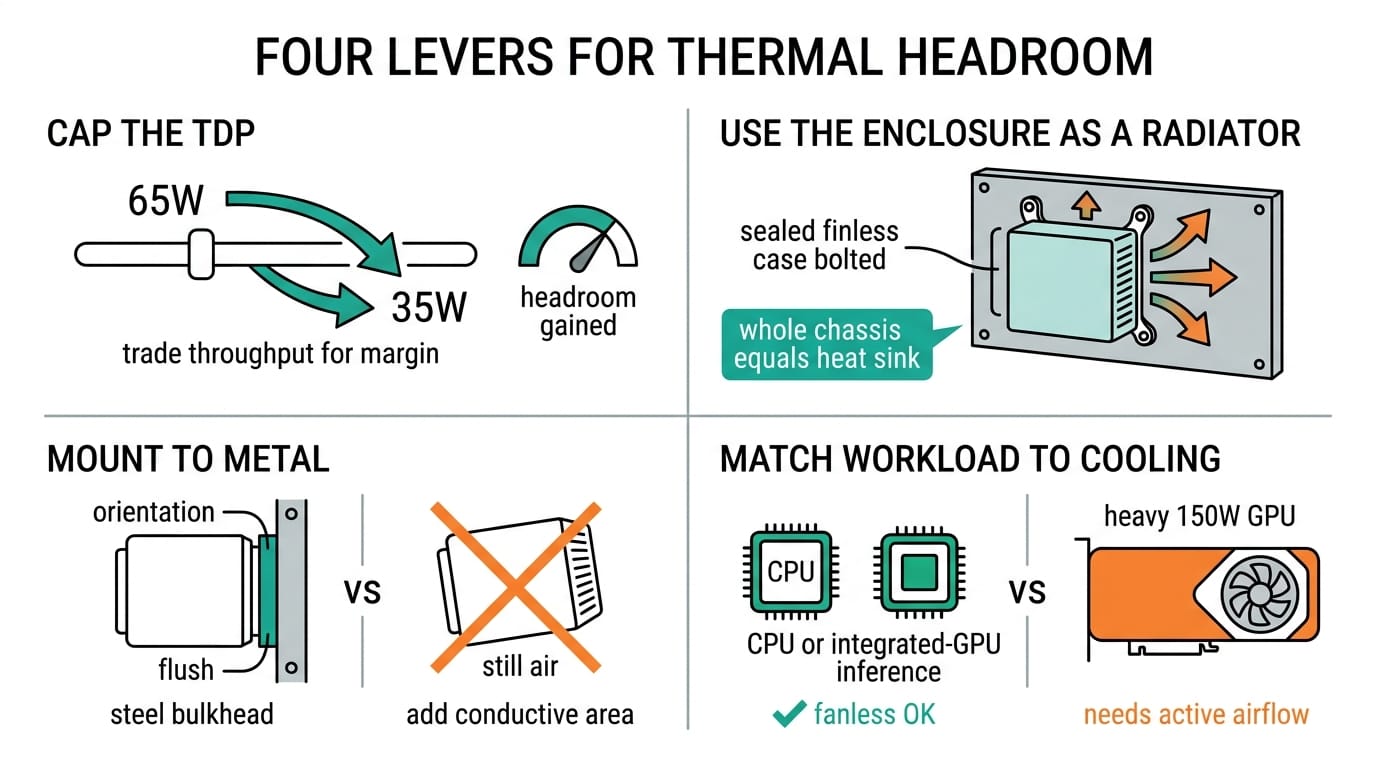
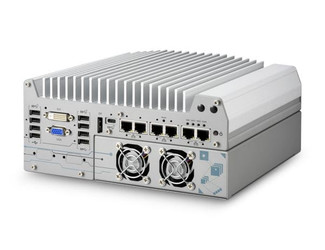
The Nuvo-11000 runs a Core Ultra 200S fanless to 70 C and lets you cap the CPU at 35W or 65W. That cap is the single biggest lever you have. Drop to 35W and you trade some sustained throughput for real headroom in a hot cabinet. GPU platforms like the fan-cooled Nuvo-9160GC sit outside this model, because a 150W RTX card cannot be cooled by conduction alone.
Environmental design factors
The sheet ambient rating is a starting point, not a guarantee. These four factors move the real ceiling.
| Factor | Effect on thermal budget | Mitigation |
|---|---|---|
| Ambient temperature | Each degree of ambient rise costs roughly a degree of margin to the junction limit | Spec a -25 C to 70 C unit such as the Nuvo-11000 or POC-766AWP |
| Solar load | Direct sun adds surface heat on outdoor cabinets | Sun shield, light enclosure color, north-facing mount |
| Sustained inference | Continuous compute, almost no idle time | Right-size the TDP and test at 100 percent duty |
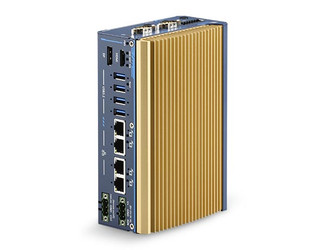
The POC-766AWP is the awkward case worth calling out. Its IP67 seal keeps water and dust out, but a sealed box also traps heat, so the whole enclosure becomes the radiator. Mounting it flush to a vehicle or machine frame turns that frame into extra heat-sink area. Leave it dangling in still air and you lose that path.
Integration notes
Orientation matters more than people expect. Fins shed heat best when they run vertically, so convection currents rise along them instead of stalling. Give the chassis at least 30 to 50 mm of clearance on the finned faces. Do not stack another box on top. When the unit lives inside a larger sealed cabinet, treat the cabinet as the real thermal boundary and plan its cooling separately, because the computer cannot fix an oven around it.
Wide input range helps indirectly. The POC-700 and POC-766AWP accept 8 to 35V DC and the Nuvo-11000 takes 8 to 48V DC, so you can run them off vehicle or solar buses without an extra converter that would add its own heat inside the enclosure.
Validation checklist
Bench numbers do not count. Confirm the design in conditions that match the worst day on site.
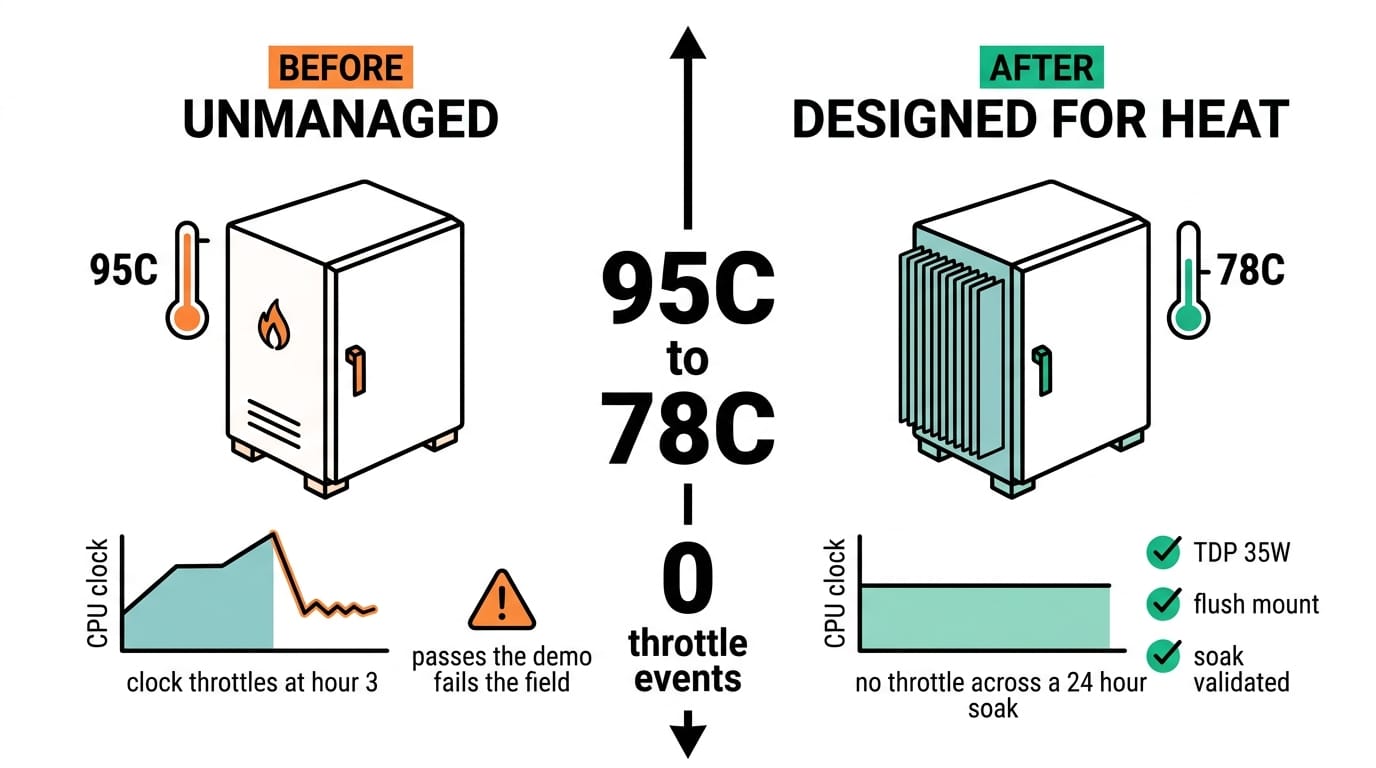
- Soak the unit at maximum expected ambient for at least 24 hours while running the real inference model at 100 percent duty.
- Log CPU package temperature against the junction limit and confirm zero throttling events in the logs.
- Repeat in the actual mounting orientation and clearance, not on an open bench.
- Add solar or enclosure load to the test if the deployment is outdoors.
- Verify the storage media carries a wide-temperature rating that covers the same range as the computer.
If the unit throttles, drop the TDP cap first, improve the mounting conduction second, and only then consider a different chassis.
Conclusion
Fanless edge AI is a heat-budget problem, not a marketing checkbox. Start from the site ambient, subtract for sun, sealing, and a workload that never rests, then pick a chassis and TDP that still leaves margin. A 35W Nuvo-11000 bolted to a metal panel will outlast a 65W one hanging in still air every time.
Follow Neteon on LinkedIn for more edge AI design guides, or reach us at [email protected] or www.neteon.net to size a fanless deployment for your ambient. Datasheets for the Nuvo-11000, POC-766AWP, and POC-700 are on the site.
Related Products

FAQs
Why does a fanless PC's rated operating temperature drop in the field?
The spec assumes a set mounting surface and free-flowing air. In a sealed cabinet or still air, natural convection weakens, so the real ceiling falls below the sheet number.
How do I add thermal headroom without changing hardware?
Cap the CPU TDP. The Nuvo-11000 lets you run 35W instead of 65W, trading some sustained throughput for margin to the junction limit in a hot enclosure.
Does an IP67 rating help or hurt cooling?
It seals out water and dust but also traps heat. The POC-766AWP uses the whole sealed enclosure as its radiator, so mounting it flush to a metal frame adds heat-sink area.
Can a fanless computer run GPU edge AI workloads?
Not the heavy ones. A 150W RTX card needs active airflow, which is why the Nuvo-9160GC is fan-cooled. Fanless suits CPU inference and lighter integrated-GPU work.
How should I validate the thermal design before deployment?
Soak the unit at maximum expected ambient for 24 hours at 100 percent inference duty, log CPU package temperature against the junction limit, and confirm no throttling in the real mounting orientation.