
TLDR
An edge AI computer running continuous inference writes far more data than a typical office PC, and consumer SSDs wear out under that load in months. This guide covers how to size NVMe endurance with TBW and DWPD, choose industrial-grade media, and lay out a data-logging path that survives power loss and wide temperatures on the Nuvo-10208GC.
Heat drives flash wear too, so read this alongside our thermal design guide for fanless edge AI in high-ambient environments.
Overview
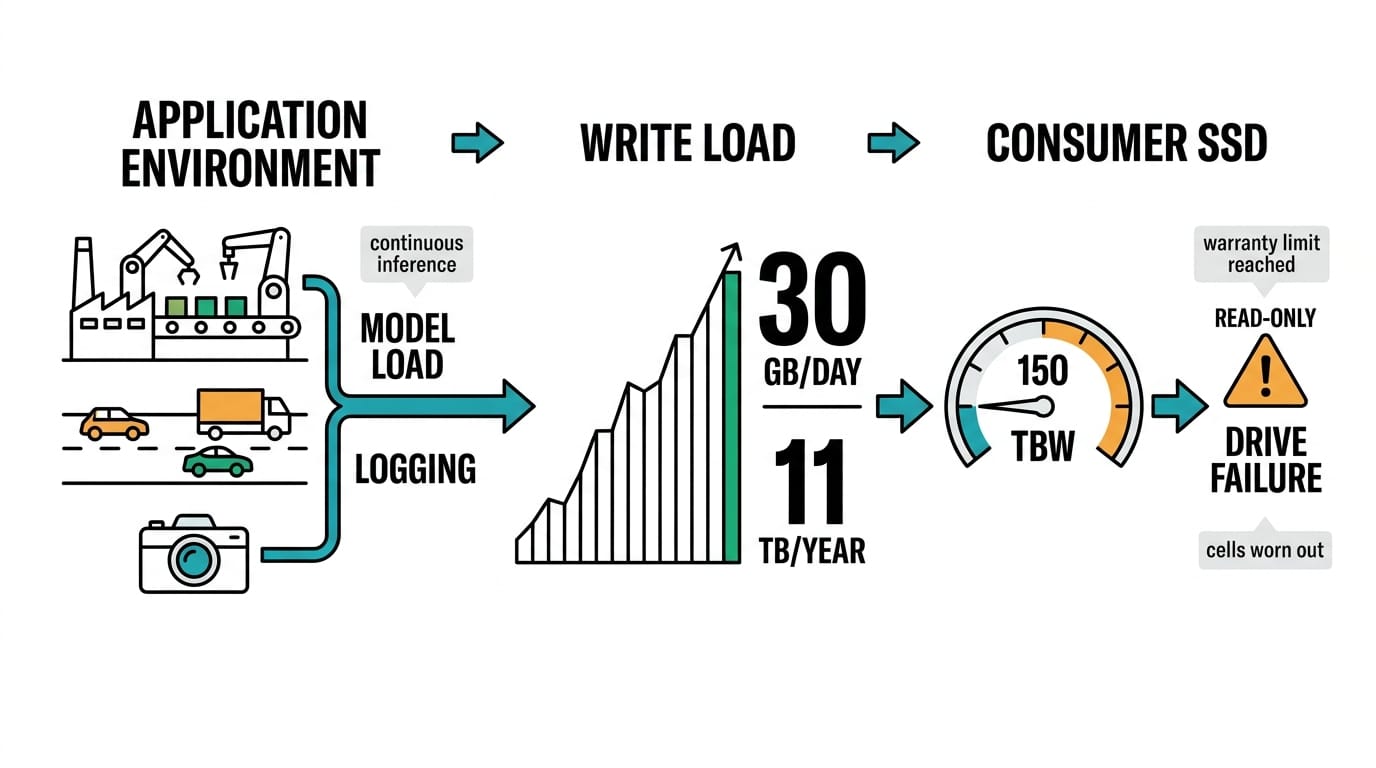
Field-deployed edge AI does two storage-heavy jobs at once. It loads models and streams video into GPU memory, and it logs inference results, event clips, and sensor traces for audit or retraining. On a busy line that can mean tens of gigabytes written every day, for years. A consumer NVMe drive rated for 150 TBW can reach its warranty limit inside a year at that rate, and once the cells wear out the drive drops to read-only or fails outright.
Storage is often the first component to die in the field, yet it tends to get speced last. In our guide to choosing an industrial edge AI computer we treated storage as a first-class selection criterion. This post works through the endurance math and the logging layout behind that. It pairs with our edge-to-cloud data pipeline walkthrough for what happens after the data lands, and our fleet OTA and monitoring guide for keeping drive health visible once the box sits 200 miles away.
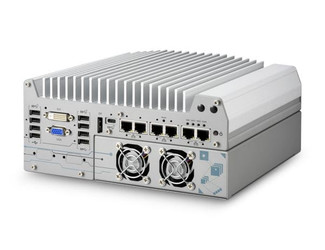
The Nuvo-10208GC is a good reference here because it exposes three separate storage locations: internal M.2 NVMe, an NVMe PCIe tray, and hot-swappable 2.5-inch SATA bays. That lets you put the OS, the model store, and the logging volume on different media with different endurance grades.
System architecture
| Storage tier | Medium on Nuvo-10208GC | Role | Endurance priority |
|---|---|---|---|
| Boot / OS | M.2 NVMe (commercial) | OS, drivers, runtime | Low writes, reliability first |
| Model + app | M.2 NVMe PCIe tray | Weights, containers, config | Read-heavy, moderate |
| Logging / capture | 2.5" SATA SSD, hot-swap | Event clips, logs, buffers | High writes, TBW first |
| Offload | Removable SATA or network | Field retrieval, retraining sets | Swappable, no runtime dependency |
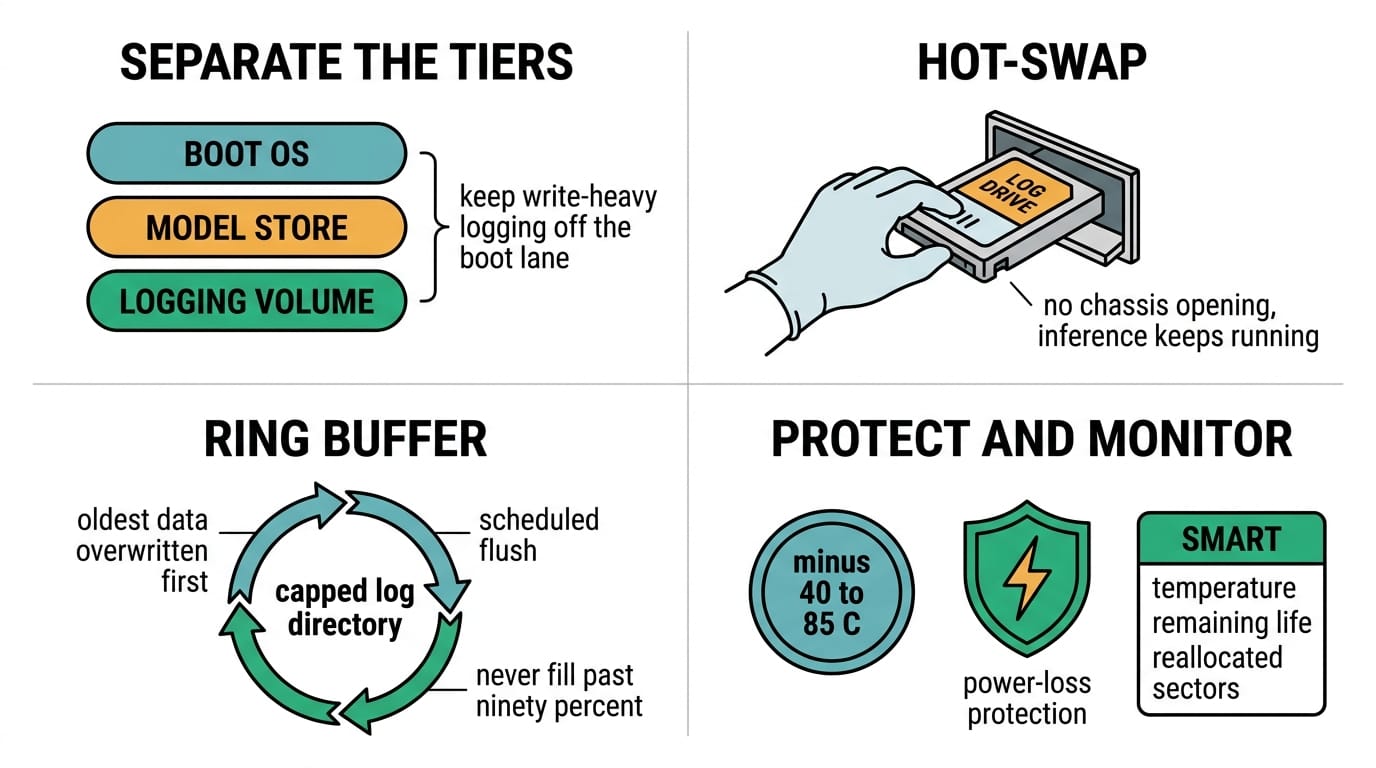
Splitting the tiers keeps a write-heavy logging workload off the boot drive. The hot-swap bay then lets a technician pull a full log drive and drop in a blank one without opening the chassis or stopping inference.
Environmental design factors
| Parameter | Consumer SSD | Industrial-grade SSD | Why it matters at the edge |
|---|---|---|---|
| Operating temp | 0°C to 70°C | -40°C to 85°C | Cabinets and cabs swing past 70°C |
| NAND type | TLC / QLC | pSLC / high-endurance TLC | pSLC gives several times the write endurance |
| Endurance | ~150 to 300 TBW | 1,000+ TBW, 1 to 3 DWPD | Continuous logging burns TBW fast |
| Power-loss protection | Rare | On-board capacitors | Prevents corruption on sudden shutdown |
| Wear leveling | Basic | Enhanced plus over-provisioning | Extends life under steady writes |
The Nuvo-10208GC offers both 0°C to 70°C and -40°C to 85°C SSD options at order time. For a vehicle, an outdoor cabinet, or an unconditioned plant floor, spec the wide-temp industrial part. The commercial drive throttles or drops offline right when the enclosure is hottest.
Sizing endurance
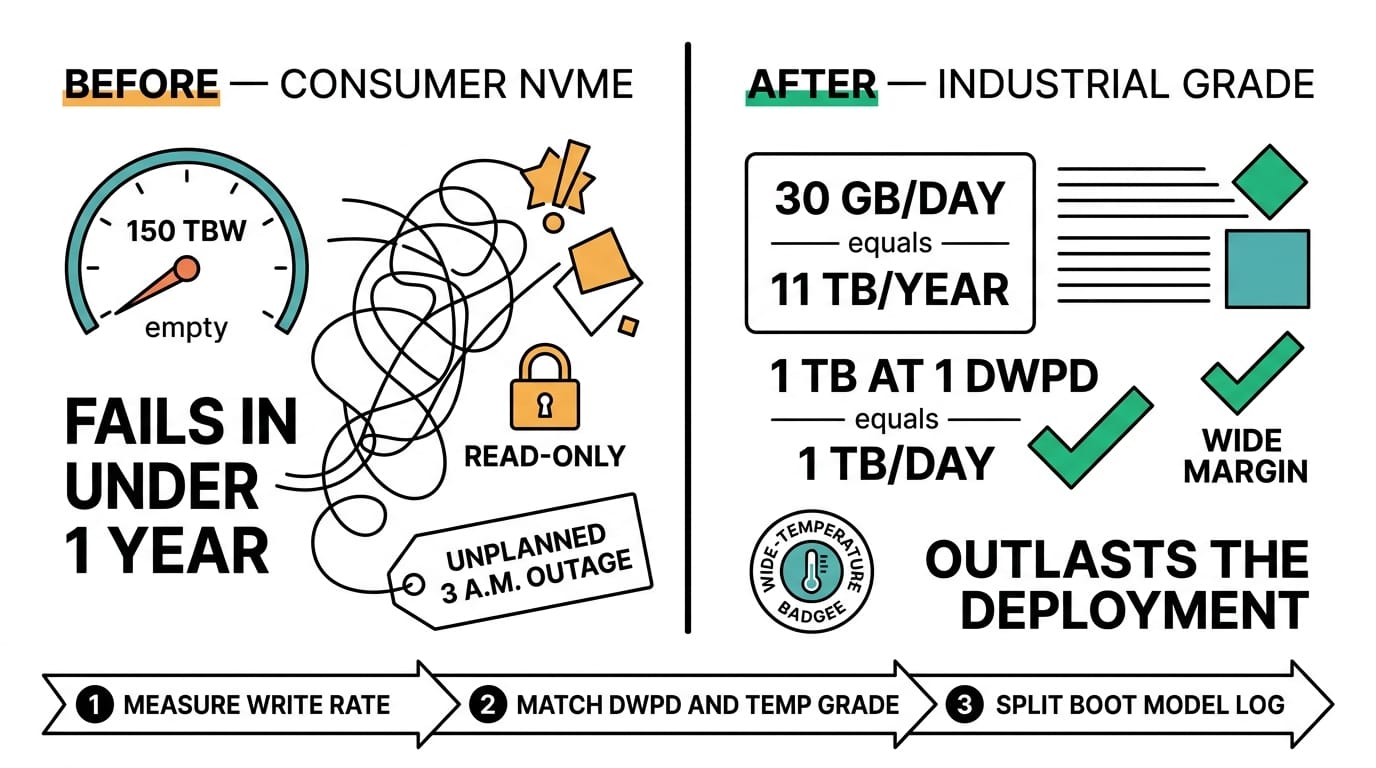
Estimate daily writes, then multiply out. A camera pipeline logging 30 GB per day is about 11 TB per year. A 1 TB drive at 1 DWPD tolerates 1 TB per day, so it clears that with wide margin and outlasts the deployment. Match DWPD and capacity to your measured write rate, not the drive's headline size.
Integration notes
Put the logging volume on its own partition and run it as a ring buffer. Cap the log directory, overwrite the oldest data first, and flush event clips to the offload drive or the uplink on a schedule. Never let a log volume fill to 100 percent, because most filesystems and SSD controllers degrade badly near full. Turn on SMART polling and export drive temperature, remaining-life percentage, and reallocated-sector count to your monitoring stack, so a worn drive becomes a planned swap instead of a 3 a.m. outage. When power drops abruptly, power-loss-protected media and a journaling filesystem keep the last write from corrupting the volume.
Validation checklist
- Confirm the SSD temp grade matches worst-case enclosure temperature, not room ambient.
- Calculate TBW headroom against the measured daily write rate, with 3 to 5 years of margin.
- Verify power-loss protection on any drive holding live logs.
- Test a hot-swap pull and replace without stopping inference.
- Confirm SMART health fields reach your remote monitoring dashboard.
- Run a 72-hour soak at maximum temperature and full logging rate before sign-off.
Conclusion
Storage endurance is a math problem you can close out before the hardware ships. Measure the write rate, pick the DWPD and temp grade to match, and split boot, model, and log onto separate media. Do that on a platform like the Nuvo-10208GC and the drive stops being the part that decides how long the deployment lasts. Follow Neteon on LinkedIn for more edge hardware design notes, or reach us at [email protected] or www.neteon.net for datasheets and storage sizing on a specific field pilot.
Related Products

FAQs
Why do consumer SSDs fail so quickly in edge AI deployments?
Continuous inference logging writes tens of gigabytes per day. A consumer NVMe drive rated around 150 TBW can reach that limit within a year, then drops to read-only or fails outright.
What is DWPD and how do I use it to size a drive?
DWPD is drive writes per day: how many times you can overwrite the full capacity every day across the warranty period. Match DWPD and capacity to your measured write rate. A 1 TB drive at 1 DWPD tolerates 1 TB of writes per day.
Should the OS and logging share one SSD on the Nuvo-10208GC?
No. The Nuvo-10208GC exposes M.2 NVMe, an NVMe PCIe tray, and hot-swap 2.5-inch SATA bays. Put the OS on one, models on another, and high-write logs on the SATA bay so logging wear never threatens the boot drive.
When do I need industrial-grade minus 40 to 85 C SSDs?
Any enclosure that exceeds 70 C: vehicles, outdoor cabinets, unconditioned plant floors. Commercial 0 to 70 C drives throttle or drop offline right when the enclosure is hottest, which is exactly when you need the log to keep writing.
How do I keep a field drive from failing without warning?
Enable SMART polling and export remaining-life percentage and reallocated-sector count to your monitoring stack, use power-loss-protected media, and run logs as a capped ring buffer so the volume never fills to 100 percent.